Review recharge and transaction records
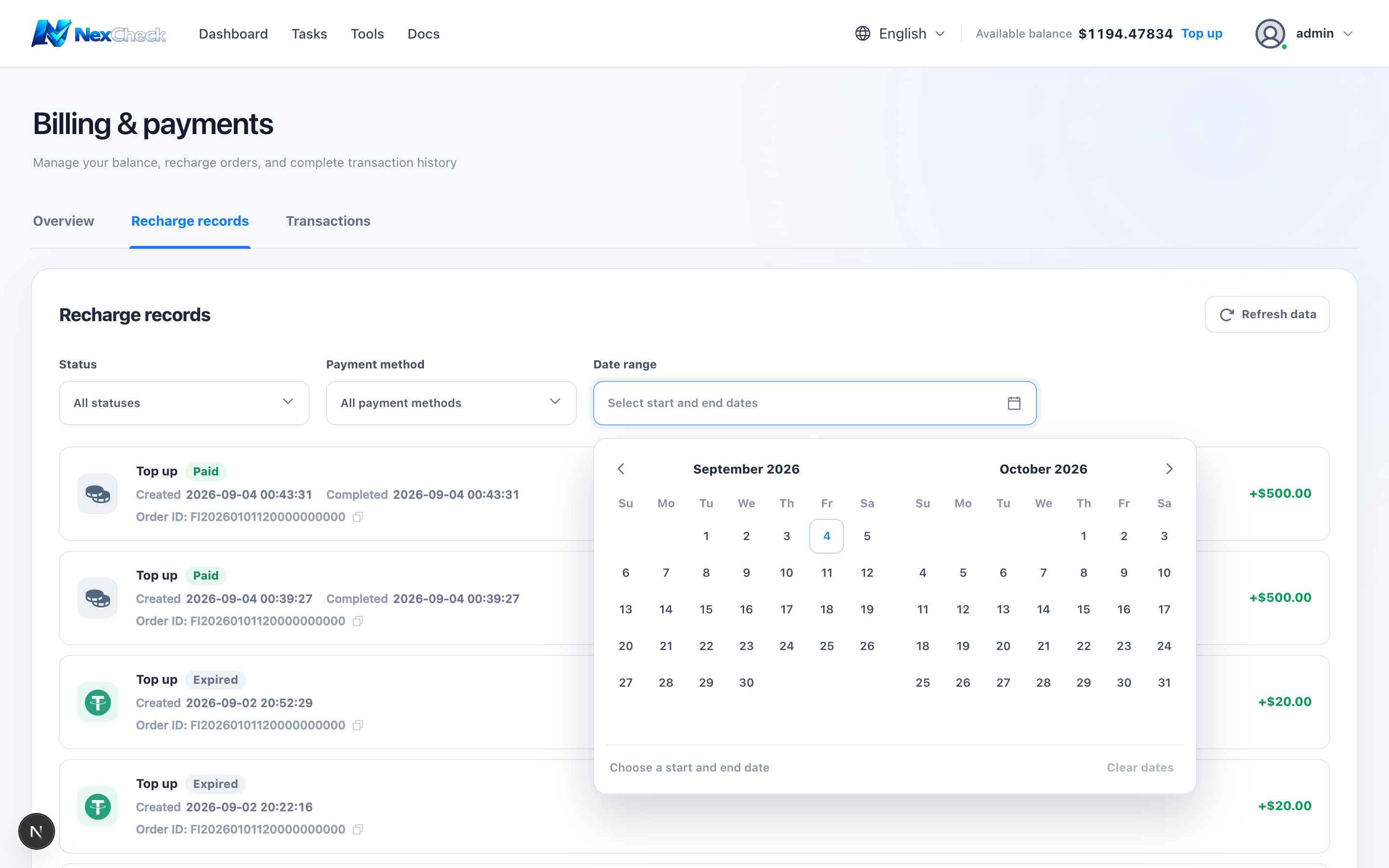
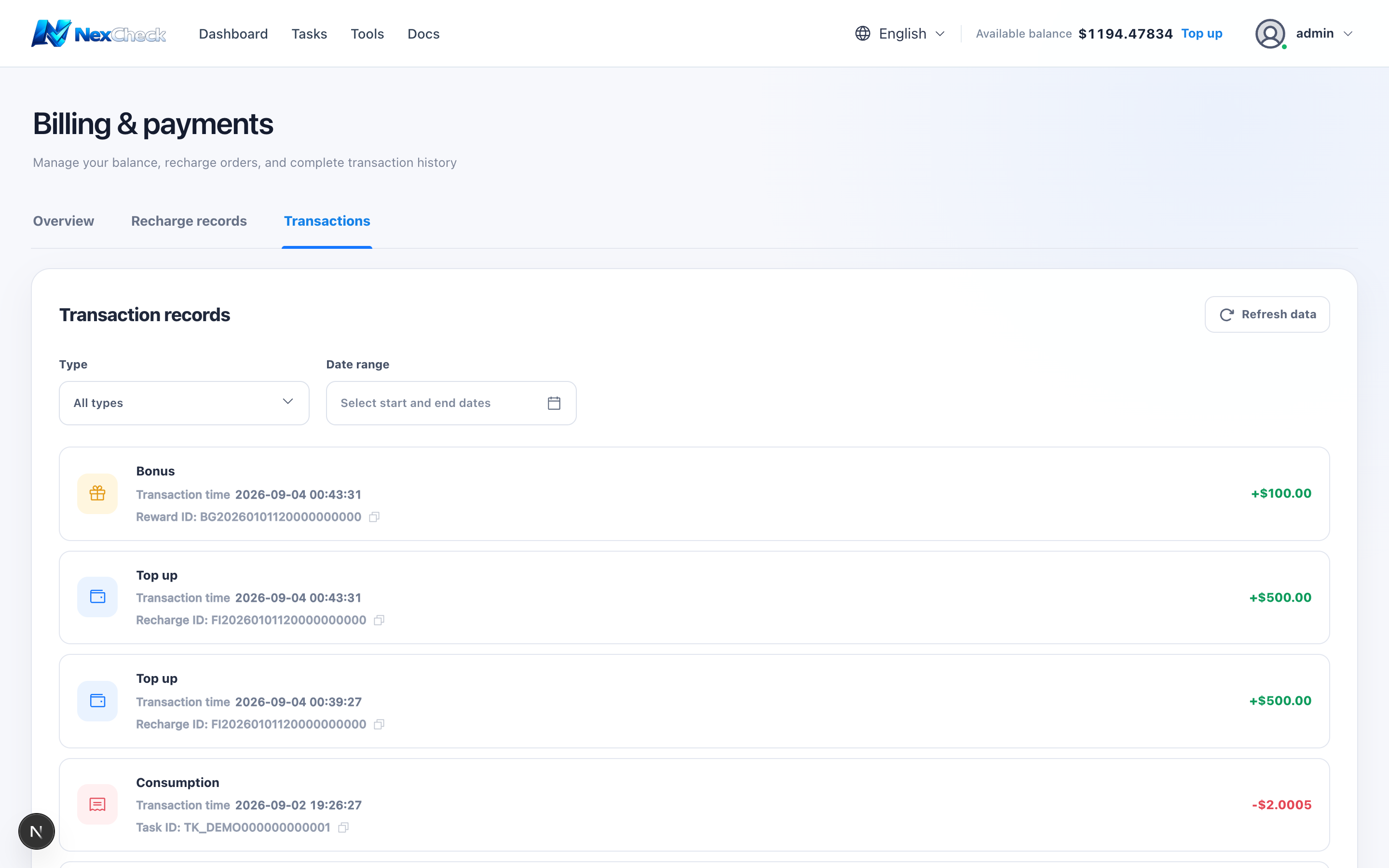
Billing provides separate Recharge records and Transaction records, with server-side pagination and URL-backed filters. Each page contains 20 items.
Steps
- 1
Filter Recharge records by status, payment method, and date; each item shows its order ID and creation time, plus completion time after payment succeeds.
- 2
Use the copy icon beside an order ID to copy the complete identifier.
- 3
Filter Transaction records by top-up, gift, consumption, refund, and date. Each item shows a copyable recharge, reward, or task ID as applicable.
- 4
After refresh, verify the updated time and page total.
- 5
When contacting support, provide a redacted record ID and time, never a password or complete payment credential.