Continue checking results
Continue checking uses the current result as input to a compatible new project. It creates and charges a new task.
Before you start
- The source task has usable results.
- Your balance covers the selected follow-up projects.
Steps
- 1
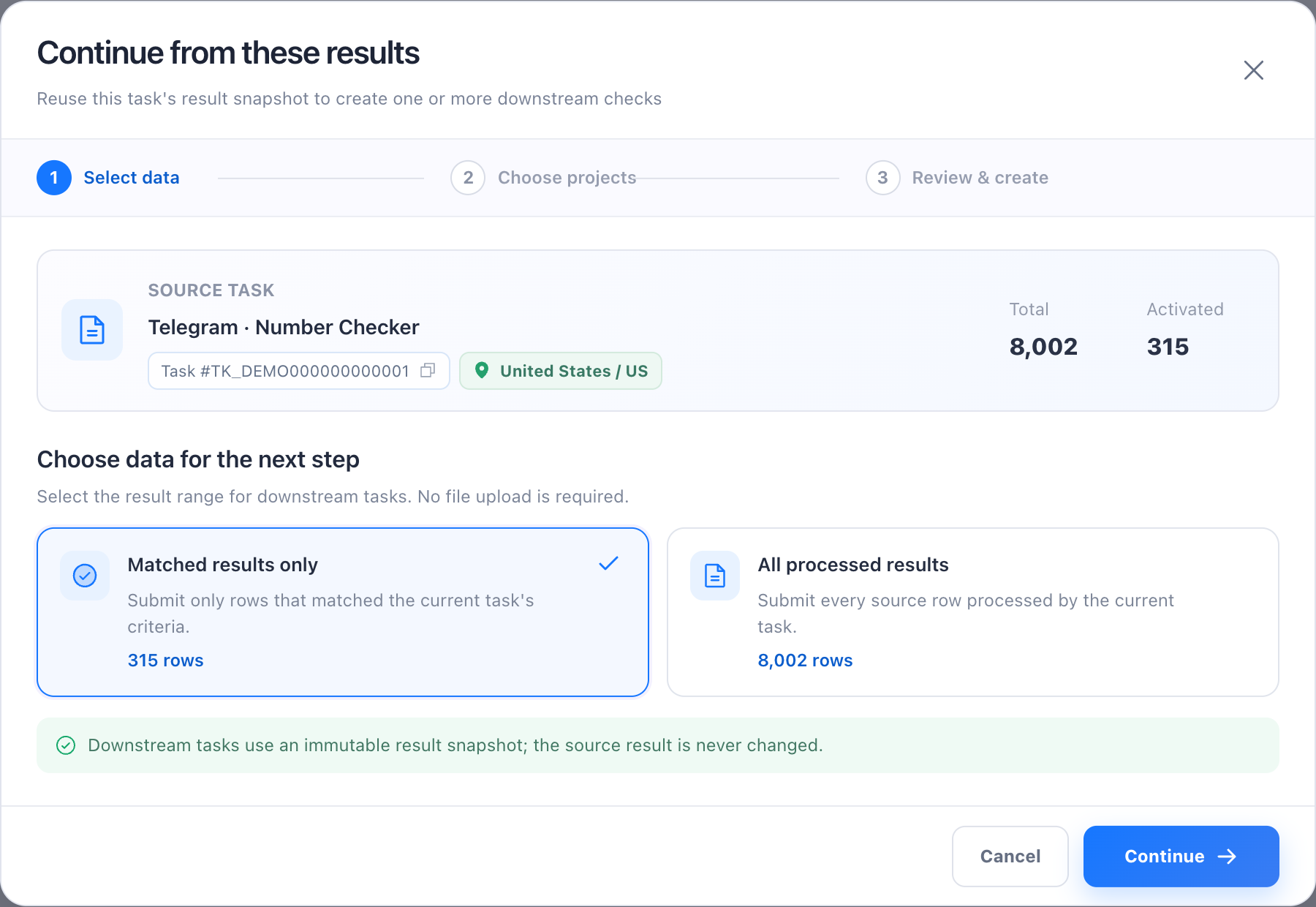
Expand the source task and select Continue checking.
- 2
Choose either filtered-passed data or all processed data.
- 3
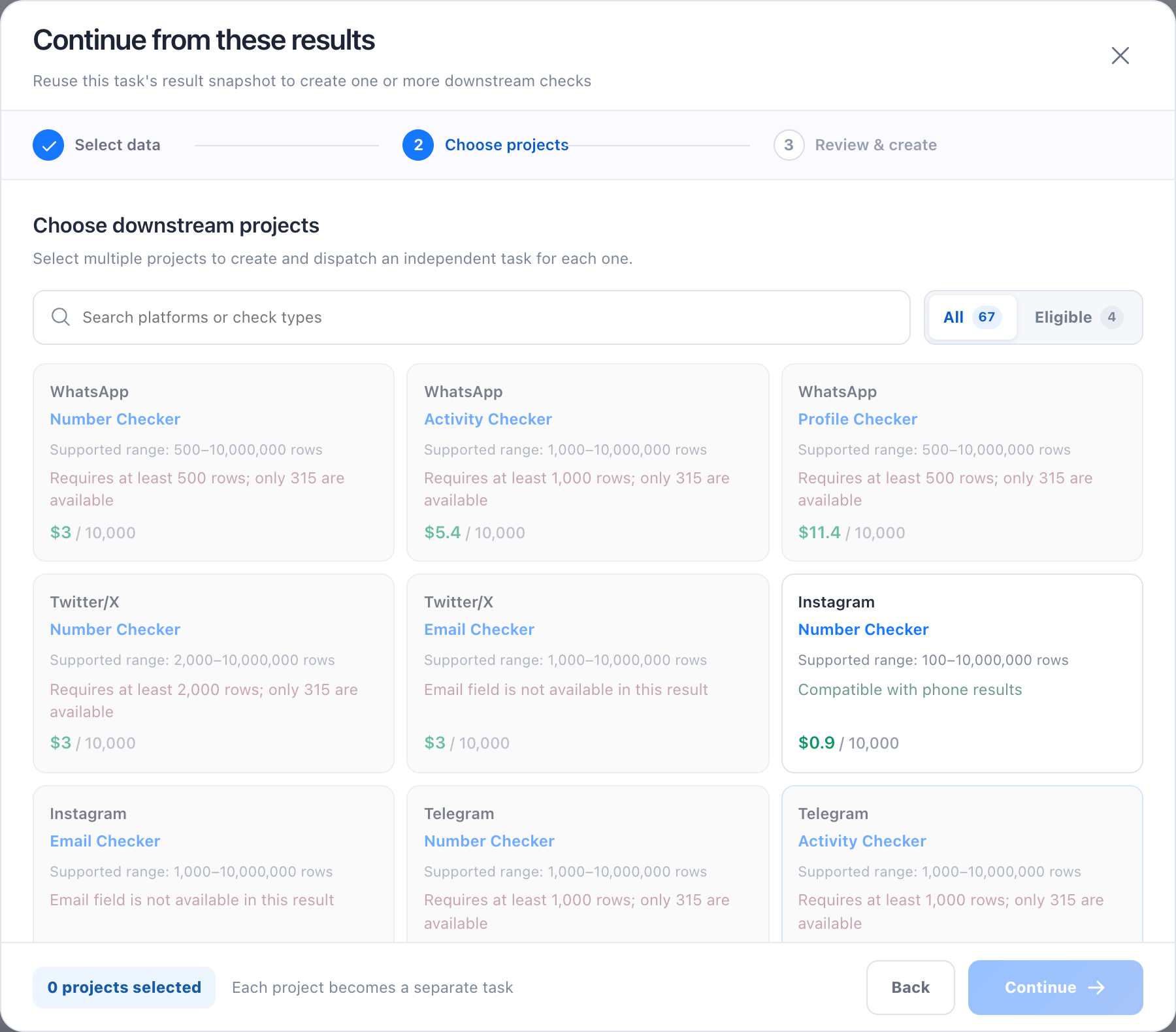
On the project step, search by name and switch between All and Eligible; each card shows its supported range and any unavailable reason.
- 4
Choose one or more eligible projects, then review each task and the total cost on the confirmation page.
- 5
Confirm creation; new tasks show their source-task relationship.