Use Task Center
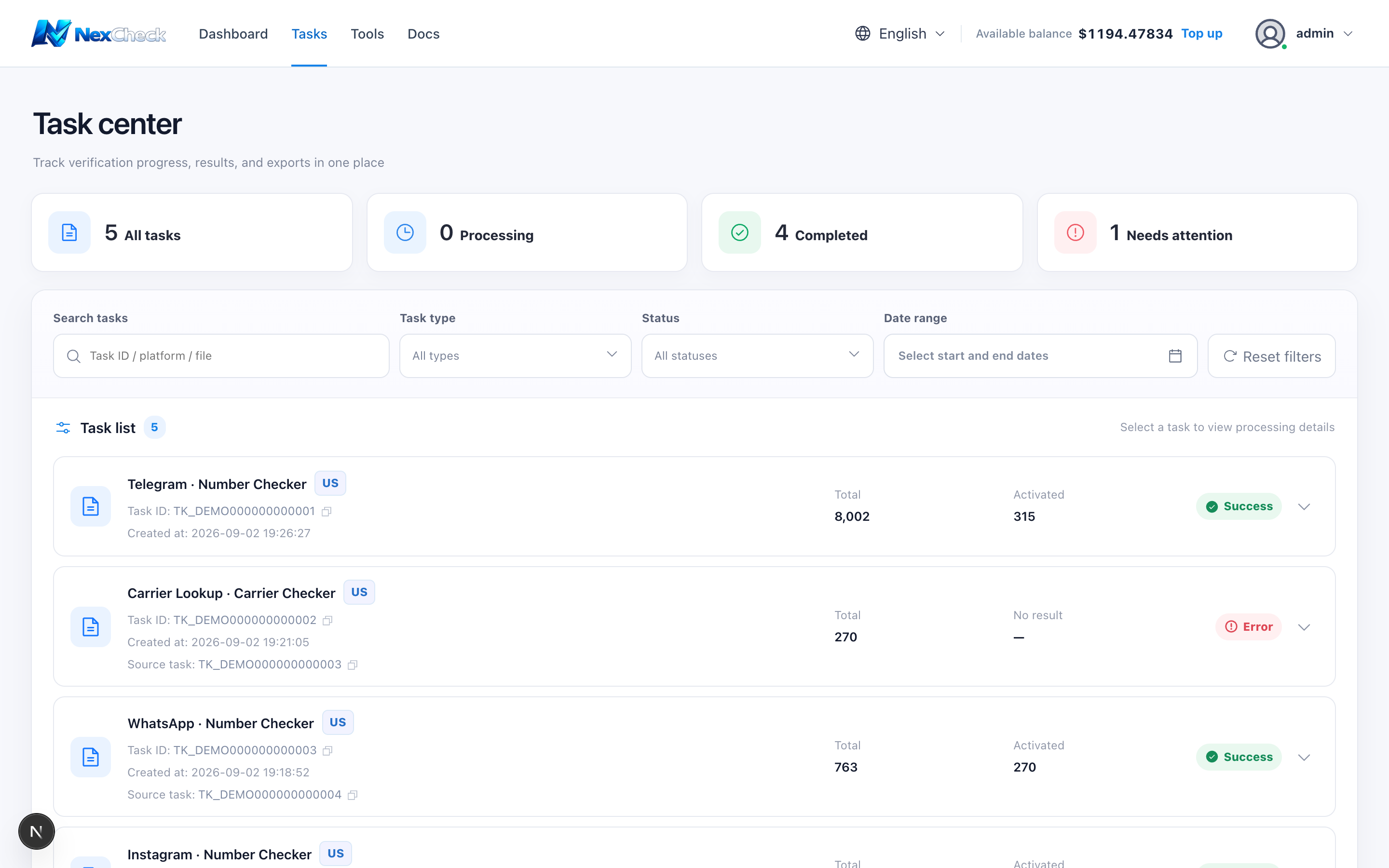
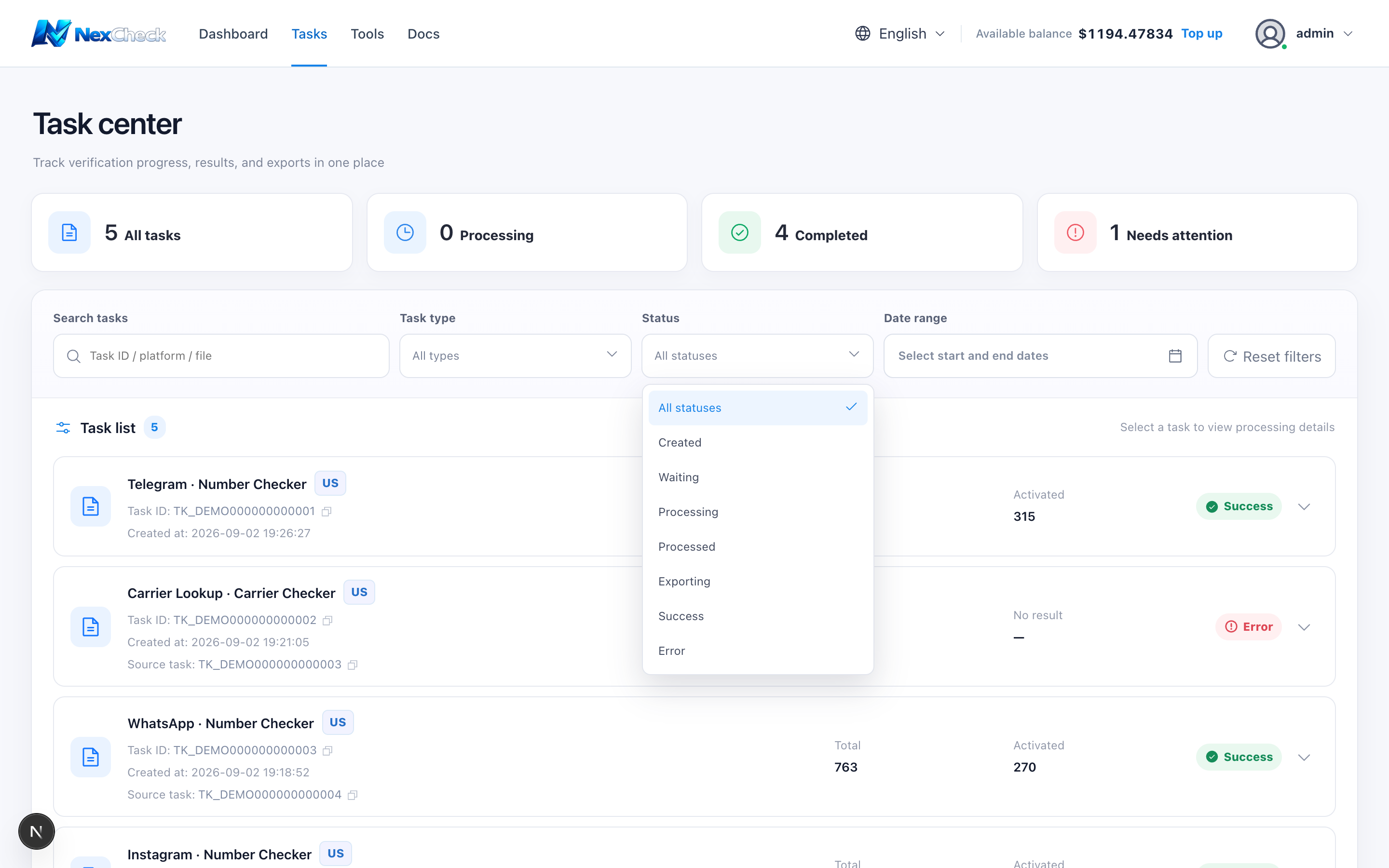
Task Center loads up to the 100 most recent tasks and shows 5 per client-side page. Filter by keyword, type, status, or date.
Steps
- 1
Use the summary cards to review all, processing, completed, and attention-needed task counts.
- 2
Search by task ID, platform, or file name; copy buttons beside task and source-task IDs copy the complete identifier.
- 3
Narrow results by type, status, and date range; Reset clears all filters.
- 4
Select a row or expand button to see input, result, progress, and related tasks.